


Cloaking.House is a cloud-based cloaking service designed to filter and protect your traffic from bots, ad platform moderators, competitors, and unwanted visitors. It helps affiliate marketers and advertisers in highly restricted niches (gambling, nutra, adult) to effectively launch ad campaigns, bypass moderation, and extend the lifetime of ad accounts and payment tools.
How Cloaking.House Works
The service analyzes incoming website traffic using multiple parameters: IP address, geolocation, device type, browser, referrer, user agent, VPN usage, IPv6, proxy, and more. Based on this data, powered by machine learning algorithms, it determines who exactly is visiting your site — a real user, a bot, a moderator, or a competitor.
Key Features and Advantages
High-precision traffic filtering powered by adaptive machine learning that adjusts to new types of bots and moderators.
Support for all major traffic sources, including Google Ads, Facebook, Instagram, TikTok, and YouTube — with ready-to-use templates for each.
Flexible integration methods: via PHP file, cloaked link, or by showing white/black pages through preload, redirect, or iframe.
Detailed filters by IP, ISP, GEO, browser, referrer, VPN, proxy, and more.
Domain parking and purchasing directly inside the platform.
Unlimited click statistics storage with no time limits.
Automatic CTR calculation, detailed reports, and exportable analytics.
Modern, intuitive dashboard with video tutorials and comprehensive documentation.
As a nice bonus — a 20% referral program for every user you bring.
Pricing Plans
Cloaking.House offers flexible pricing for any level — from beginners to large teams.
All plans include full functionality: AI White Page generator, bot and moderator protection, VPN/Proxy filtering, and real-time analytics.
Starter Plan – $49/month
Includes 3 active flows. White Page generation – $5.Basic Plan – $159/month
Includes 10 active flows. White Page generation – $3.Premium Plan – $299/month
Includes up to 100 active flows. White Page generation – $2.Enterprise Plan – $799/month
Supports up to 100,000 active flows. White Page generation – $1.
For Proxy.luxe users, there’s a special promo code: LUXE30 — giving you a 30% discount on any plan.
Simply enter the code at checkout to save and start cloaking for less.
Regardless of your plan, you get full access to all Cloaking.House tools — the only difference is in the number of active flows and the cost of page generation.
Example: Setting Up a Flow for Your Offer
1. Prepare the Files
White Page: a neutral fitness page (site.html).
Important: if your main white page is named index.html, rename it to site.html to avoid file conflicts.Offer Page: product landing, e.g. https://offer.com.
2. Create a Flow
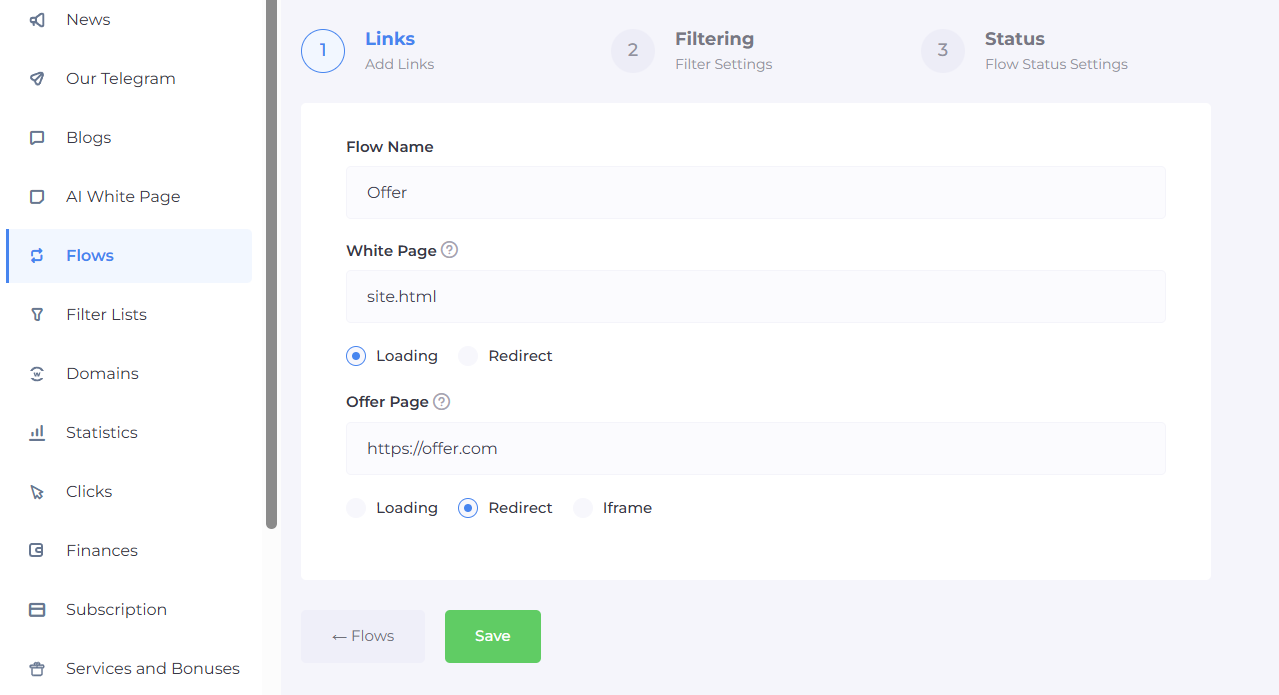
Go to your Cloaking.House dashboard → “Flows” → “Create Flow”
Set the path to site.html as the White Page;
Specify your offer page as the Offer Page;
Name the flow (e.g., Nutra – October).
3. Configure Filters
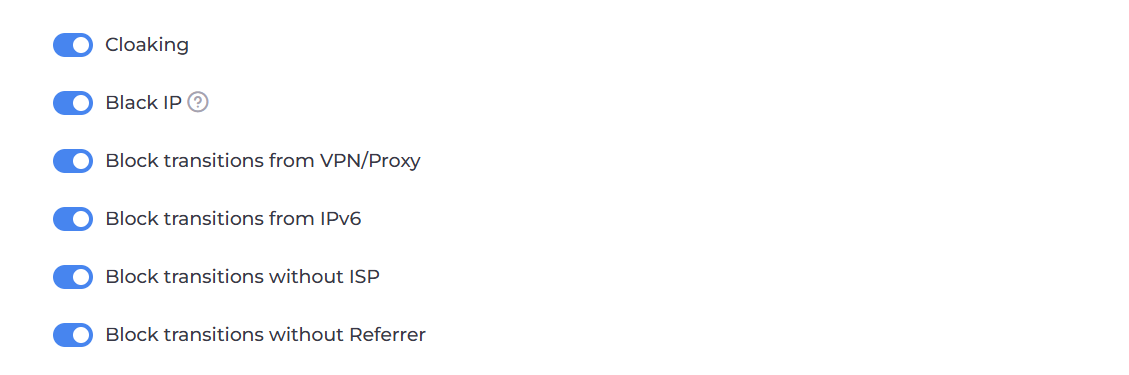
Cloaking — enables the main cloaking function: splits users into moderators and real customers, showing different content to each.
Black IP — activates the blacklist of IP addresses previously detected as moderators or bots.
Block VPN/Proxy Traffic — denies access to users connecting via VPN or proxy servers, as these are often used by moderators to hide their real IPs.
Block IPv6 Traffic — disables access from IPv6 addresses, since they often provide inaccurate or incomplete user data.
Block Traffic Without ISP — filters out visitors with no internet service provider (ISP) data, which usually indicates bots or low-quality traffic.
Block Traffic Without Referrer — rejects visits without a referrer source, as these are often bots or suspicious requests.
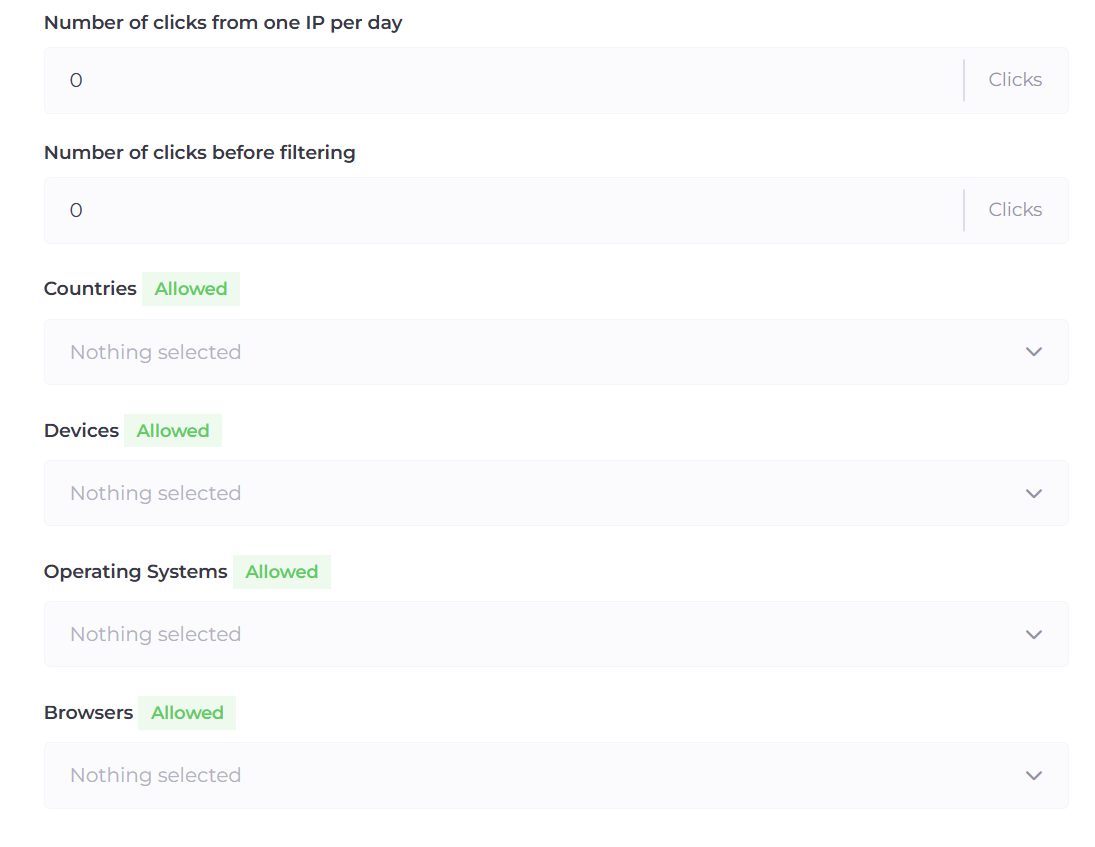
Allowed Countries
Devices: Mobile Phones, Computers — based on GEO analysis, these are the most common devices among the target audience.
Optionally, you can also add filters for “Language” and “Time Zone” to further refine targeting.
Additional Filters You Can Use Based on Experience
Clicks per IP per Day — limits how many times a single IP can click your link within 24 hours.
This helps protect against suspicious or repetitive activity.
Recommended settings:1–3 clicks/day — ideal for most offers.
5–10 clicks/day — suitable if your target traffic often comes from public networks or mobile carriers.
Clicks Before Filtering — defines how many initial clicks from one IP will bypass filtering.
For example, if the value is set to 10, all first ten visits will always see the White Page, and only on the eleventh click will the filtering trigger, possibly showing the Offer Page.
Why it’s useful:
This filter is especially helpful during the moderation phase — it minimizes the chance of moderators landing on your offer page.
Once moderation is passed, you can safely reset the value to 0.
Important: the value automatically resets to 0 at 00:00, so plan your campaign launches accordingly.
4. Upload the file
After saving the flow, download the index.php file and place it in the same directory as site.html.
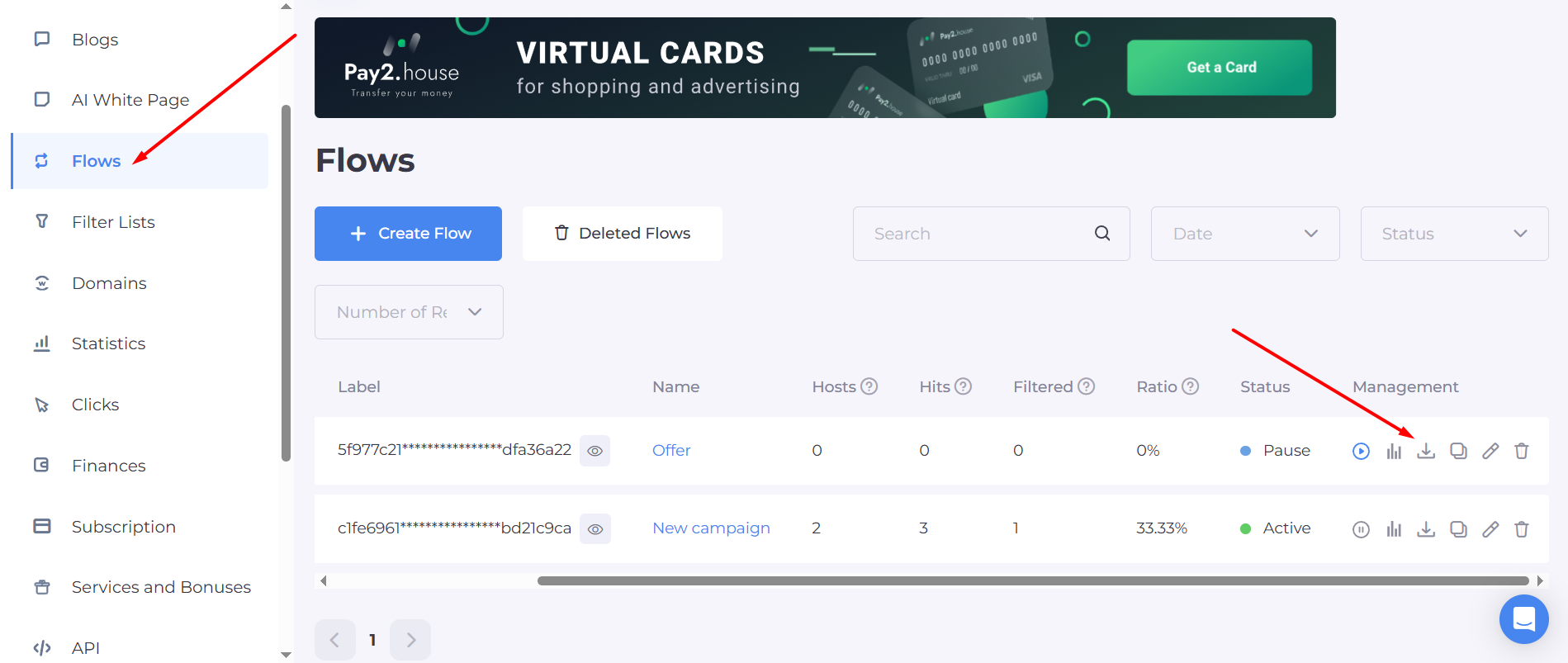
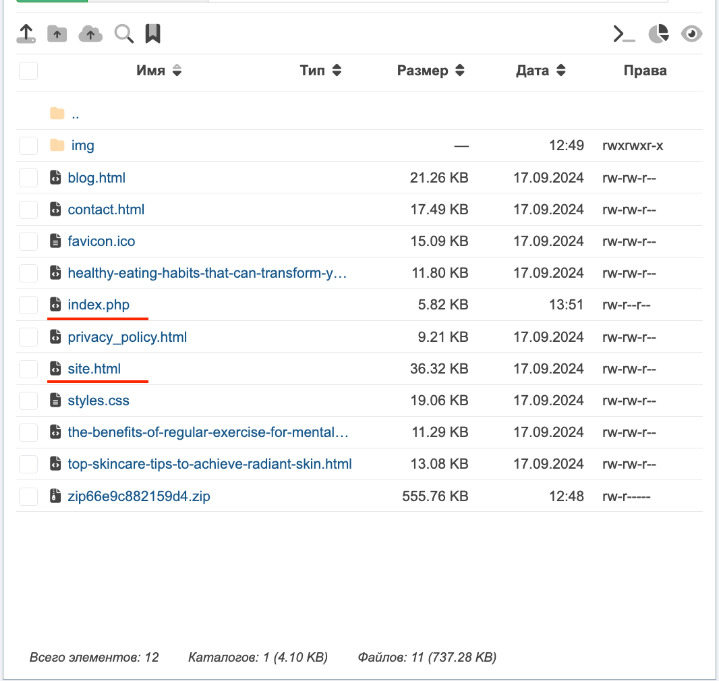
Now everything is ready — launch your ads and monitor the data in the dashboard.
After integration, you can test how the filters work: visit the link with and without a VPN to see where you are redirected and verify that the final URL matches the settings in your filters.
Another option: add your own IP address to the whitelist at the end of the flow. This way, you won’t need to disable filters or use a VPN — the system will ignore the filters and send you directly to the Offer Page.
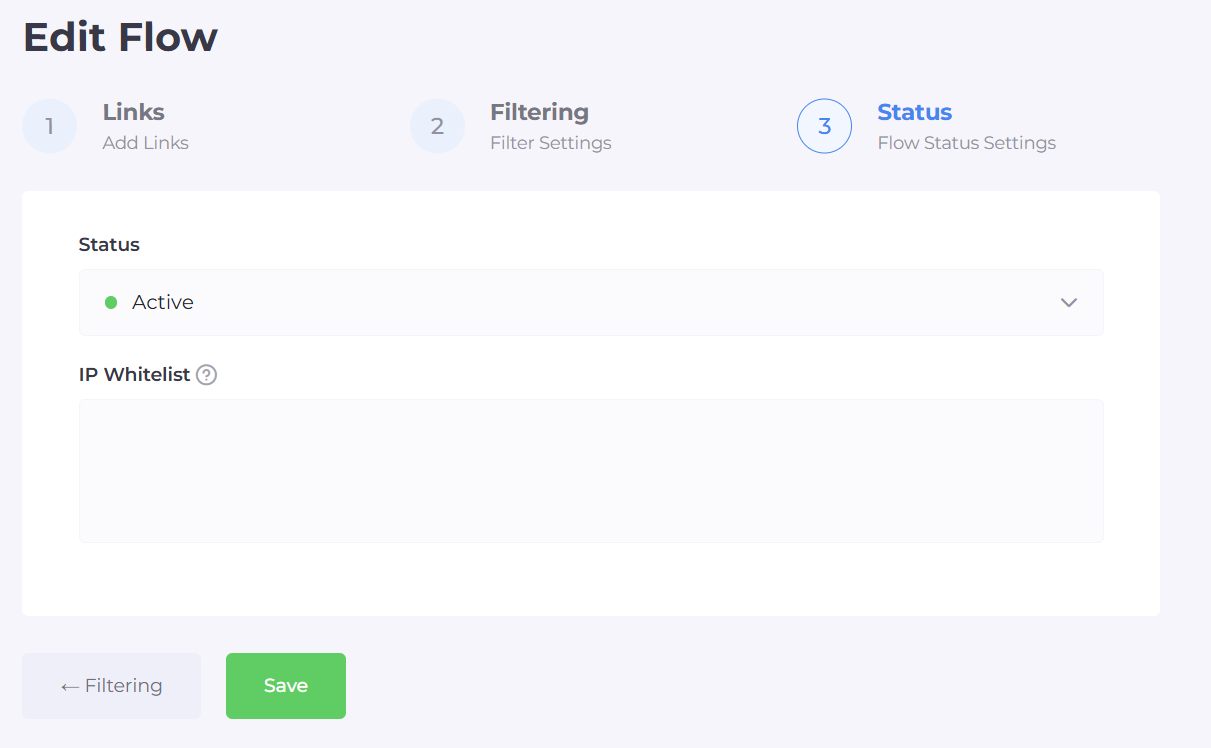
Once you’ve uploaded the script to the root folder of your white page on the hosting server, all that’s left is to set the flow’s status — either “Active” to start it or “Paused” to stop it temporarily.
Built-in White Page Generator
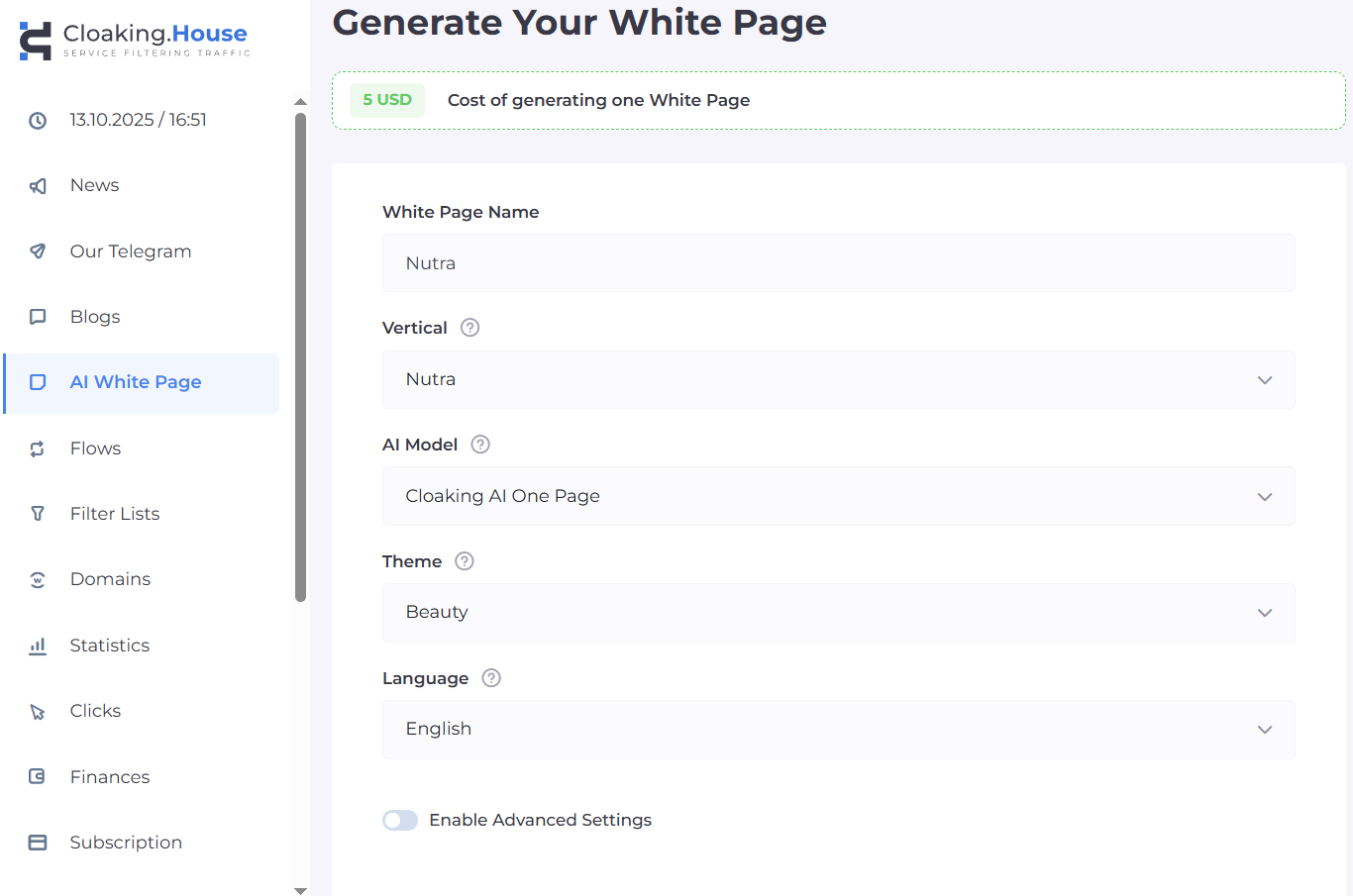
Cloaking.House features a built-in White Page generator that lets you quickly create realistic landing pages for any offer to protect your traffic. The generator allows you to select a template, adapt it to your niche, and make basic edits — all within the dashboard, without needing external developers.
Benefits of the Built-in Generator:
Ready-made templates for various niches: crypto, finance, health, investments, and more.
Platform compatibility: White Pages can be used across popular ad networks like Facebook, TikTok, Google, Bing, and other traffic sources.
Easy generation: Simply choose your vertical, niche, language, and provide the necessary details. The AI will create a ready-to-use page in minutes.
Cost of generation: In the Starter plan, one page costs $5, while in higher-tier plans it can be as low as $1.
Filtering Lists
Cloaking.House also allows you to create and use whitelists and blacklists for precise traffic filtering within your flows.
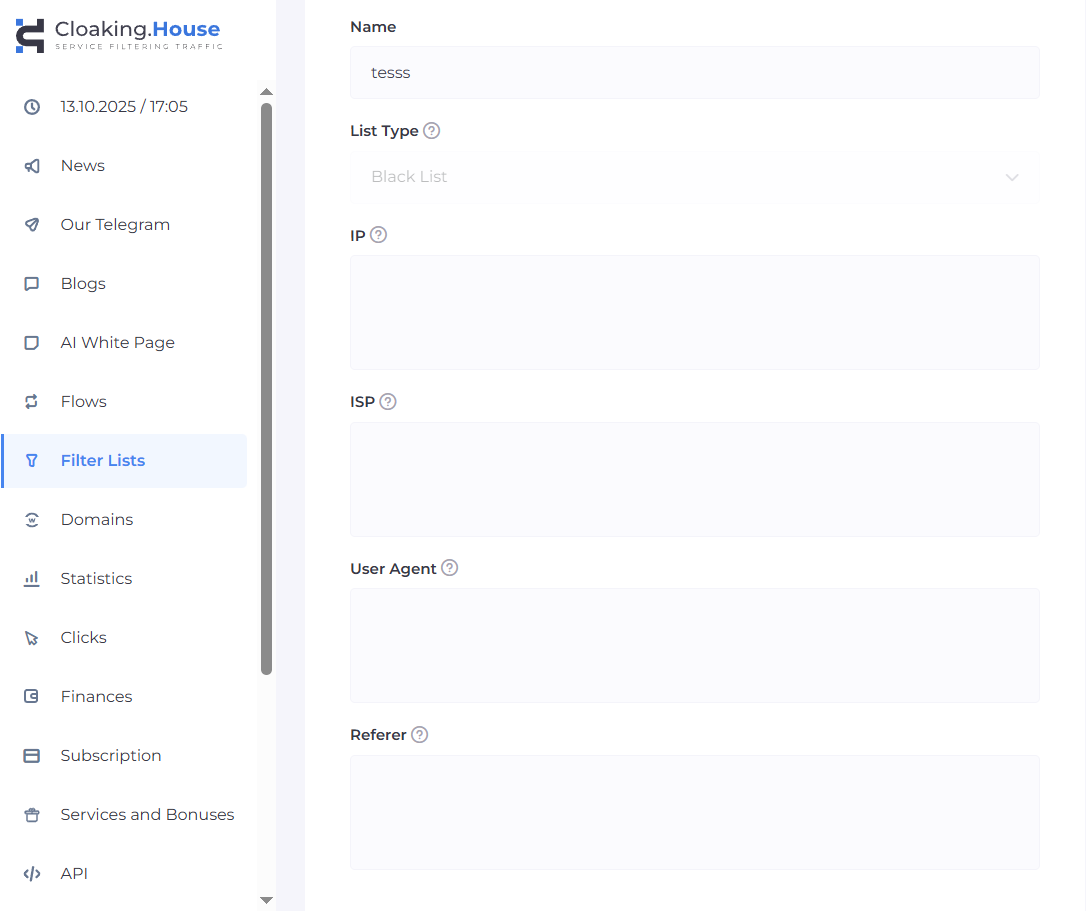
Blacklists and Whitelists
Blacklists are lists of prohibited IPs, ISPs, user agents, and other parameters. When a visitor matches any of these, they are redirected to the White Page instead of the offer.
Whitelists allow access to the offer only for specific IPs or other parameters, which is useful for testing and control.
These lists are applied in flow settings and help efficiently manage traffic, avoiding unwanted visitors, bots, and moderators.
Conclusion
Cloaking.House is a modern, advanced cloaking service ideal for affiliate marketers and advertisers promoting offers in restricted verticals. It protects campaigns and accounts from bans, providing flexible and precise traffic filtering with machine learning, while its user-friendly interface and affordable pricing make it a popular choice among cloaking tools.
For Proxy.luxe blog readers, the promo code LUXE30 gives a 30% discount on all plans.