


Picking a proxy provider used to be simple. You'd grab some IPv4s from whoever was cheapest, plug them into your scraper, and move on with your day. That game is over.
In 2026 the market is bloated. New "providers" launch every week, half of them are just reselling somebody else's pool, and the marketing copy on every landing page sounds identical. 99.9% uptime, millions of clean IPs, blah blah. Honestly, if you go by vendor websites alone you're going to burn money. A lot of it. So before you even open a checkout page, take a few minutes to look at an independent proxy services aggregator like ToProxyLab, which tracks dozens of providers side by side with real fraud scores, speed tests, and user ratings instead of self-promotion. That alone will cut your shortlist from twenty options down to maybe four.
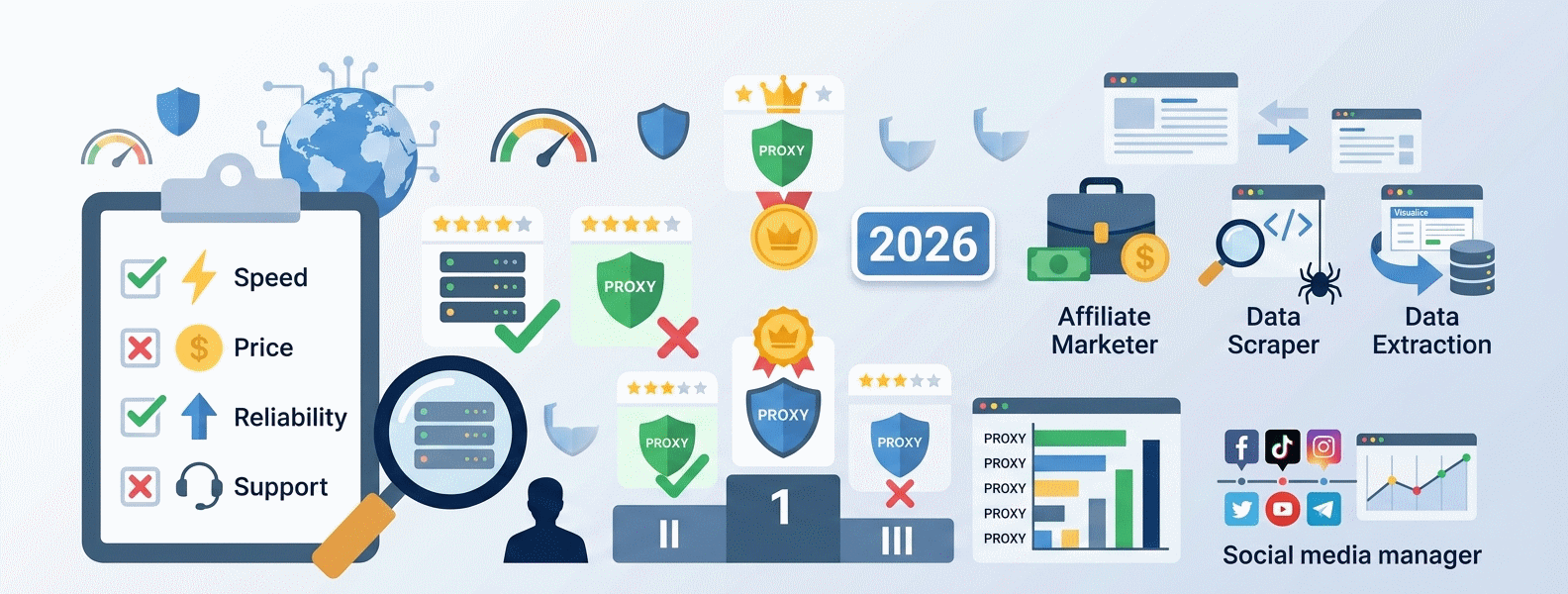
Okay. Now let's get into the actual checklist.
Step 1: Know what you're actually doing
This sounds dumb but most people skip it. They google "best proxies" and buy whatever's on top.
Wrong move.
The "best" proxy depends entirely on the job. Scraping Google SERPs? Datacenter IPs are probably fine and way cheaper. Warming Reddit accounts? You need residentials with a near-zero fraud score or you're done before you start. Running Facebook ad accounts through an antidetect browser like Dolphin Anty, Multilogin, or AdsPower? Mobile, no question. TikTok affiliate work? Same. Mobile, ideally private channel.
Write down your use case in one sentence before you do anything else. If you can't, you're not ready to buy.
Step 2: Match the proxy type to the task
Quick rundown, because I've seen people mess this up constantly:
Datacenter (IPv4/IPv6) - fast, dirt cheap, easy to spot. Hosted on AWS, Hetzner, OVH, DigitalOcean ranges that Cloudflare and DataDome know by heart. Good for bulk scraping of sites that don't care: price aggregation, public APIs, basic SEO checks. Bad for anything social, anything with Cloudflare, anything that matters.
Residential - IPs from real home networks (Comcast, Spectrum, BT, Deutsche Telekom, you name it). Slower, pricier, but they look like normal users. Good for SERP scraping at scale, ad verification, e-commerce, account creation on medium-tier platforms.
ISP (static residential) - best of both worlds-ish. Sits on real ISP infrastructure but stays sticky for days. Good for long-running sessions, e-commerce accounts on Amazon or eBay, anything where you don't want the IP rotating every five minutes.
Mobile (4G/5G) - cell carrier IPs (Verizon, T-Mobile, O2, Vodafone, Orange), shared among thousands of real users on the tower. Highest trust score on the planet thanks to CGNAT, which makes individual user attribution basically impossible. Good for Instagram, TikTok, Facebook, anywhere a ban means lost money. Bad for your wallet, sometimes.
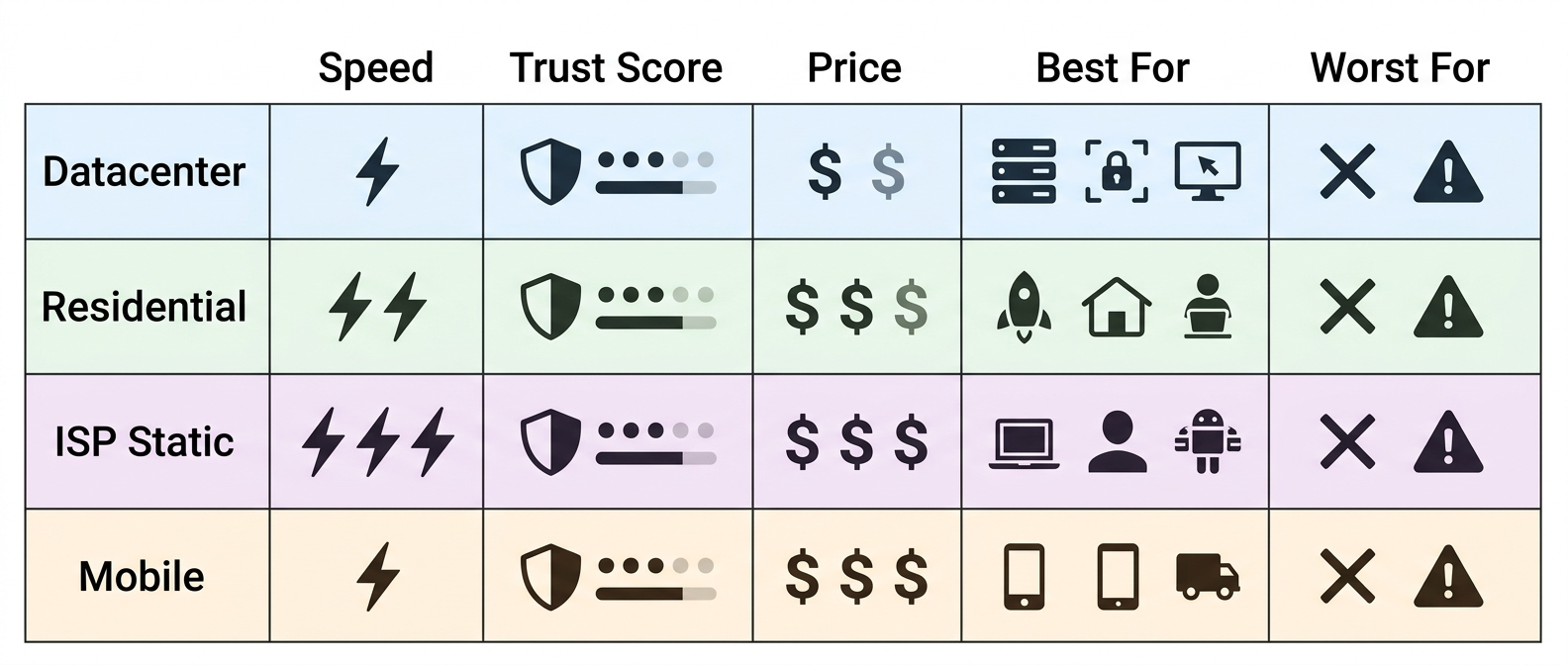
If a vendor pushes you toward a type that doesn't match your use case, walk away. They're optimizing for their margin, not your results.
Step 3: The fraud score check
This is the single most overlooked thing.
Before you commit to a provider, get a trial. Pull five or ten IPs. Run each one through Scamalytics, IPQualityScore, and Pixelscan. Write down the numbers.
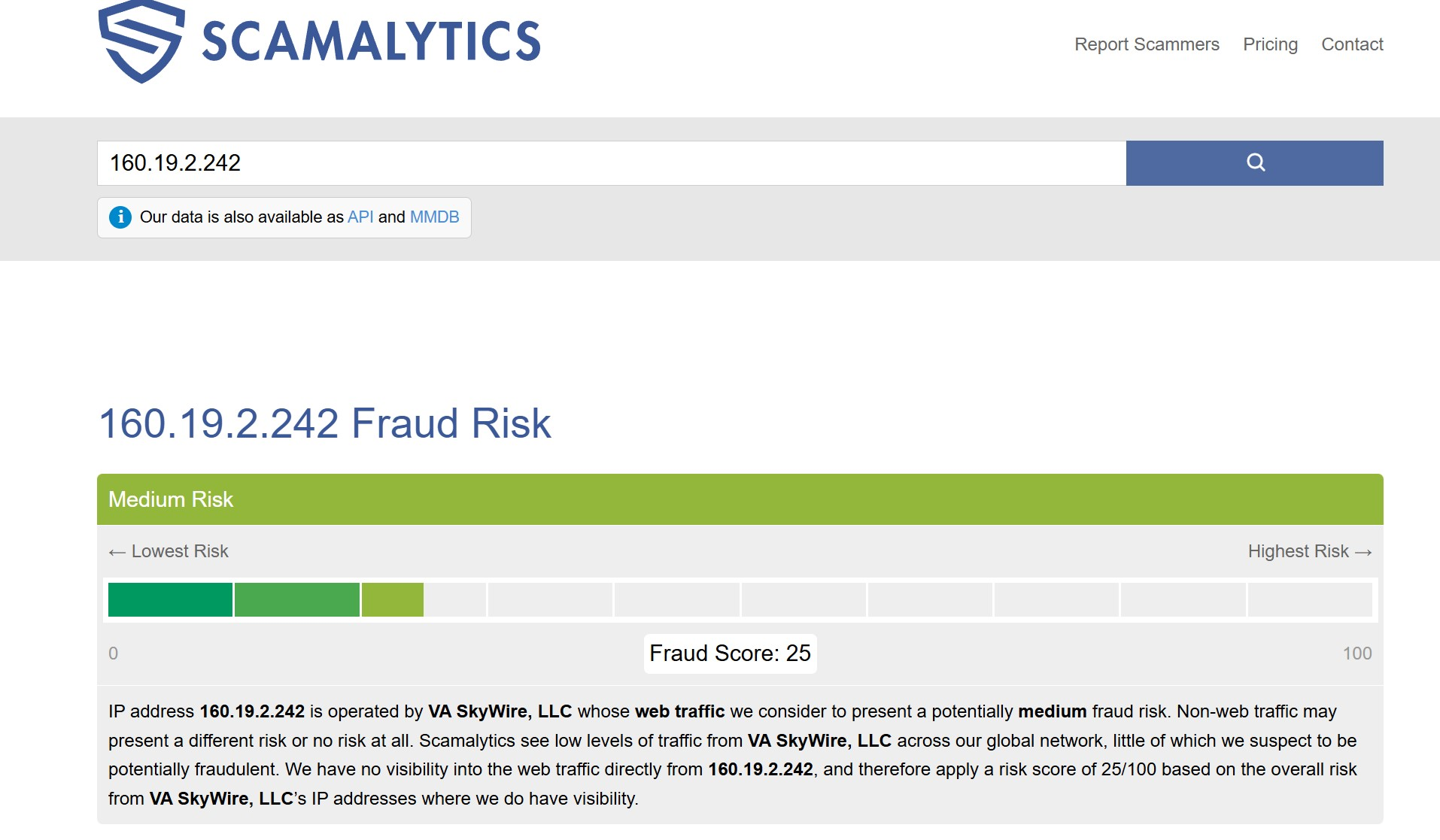
If you're seeing fraud scores above 25 on supposedly "premium residentials", that pool is burned. Doesn't matter how shiny the dashboard is. The previous users have already trashed those IPs and you're inheriting their problems.
What's acceptable? Roughly:
Mobile: 0-5
Residential: 0-15
ISP static: 5-20
Datacenter: anything under 50 is realistic, don't expect miracles
Also worth checking the IP against Spamhaus and AbuseIPDB if you're doing any email or outreach work. A clean Scamalytics score means nothing if the IP is sitting on the SBL.
I've personally seen "enterprise tier" trials hand out IPs with Scamalytics 100. Brand name means nothing. Test or lose money.
Step 4: Billing model, this is where they get you
Read the pricing page twice. Then read it again.
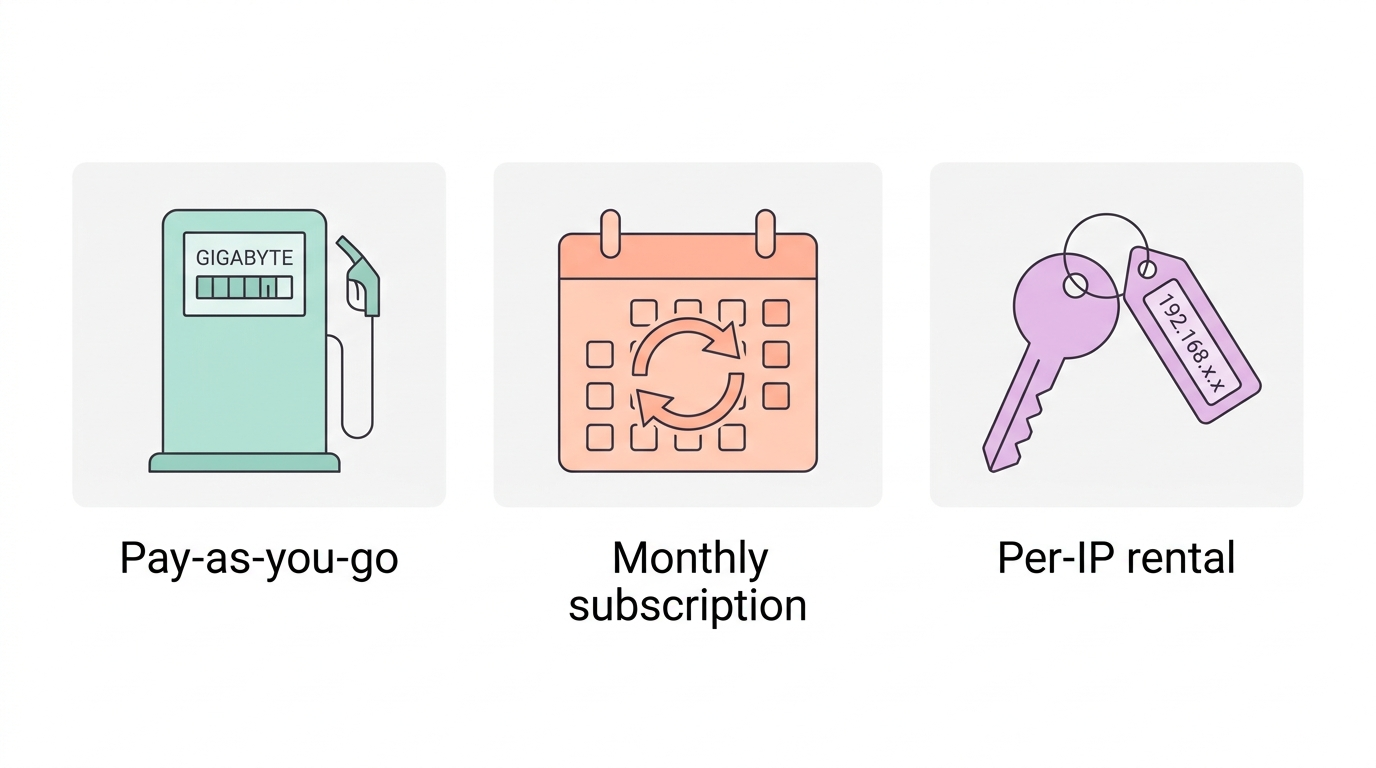
Three models dominate the market right now:
Pay-as-you-go is the most honest. You buy GB, you use them, no countdown. Some providers even let unused traffic roll over. If you're doing irregular work, a scraping project here, an account farm there, this is what you want.
Monthly subscriptions are fine if your volume is predictable. The trap: most providers force you to pre-pay for traffic you won't use, and it expires at the end of the month. Burn rate matters.
Per-IP rental (common for IPv4, IPv6, ISP static), you pay for an address, you keep it for X days. Best for sticky tasks. Watch out for "shared" IPv4 packages. Cheap, sure, but you're sharing the IP with strangers and one of them is definitely abusing it right now.
Whatever you pick, check the refund window. 24 hours is standard. 72 hours is generous. Anything less than 24 is a red flag. And "no refunds on shared plans" basically always applies, assume that going in.
Step 5: Geo coverage and targeting depth
"195 countries" sounds impressive on a landing page. In practice it usually means the provider has 30 working IPs in 165 of those countries and most of them haven't been online in a month.
What you actually need to ask:
Can I target by city? By ZIP? By ASN/ISP? For a lot of work, local SEO, ad verification, e-com, city-level is the minimum, ZIP-level is the gold standard. NodeMaven for example does ZIP across 150+ US locations. That's the kind of granularity that matters when you're checking how a SERP looks for someone in Brooklyn vs the Bronx.
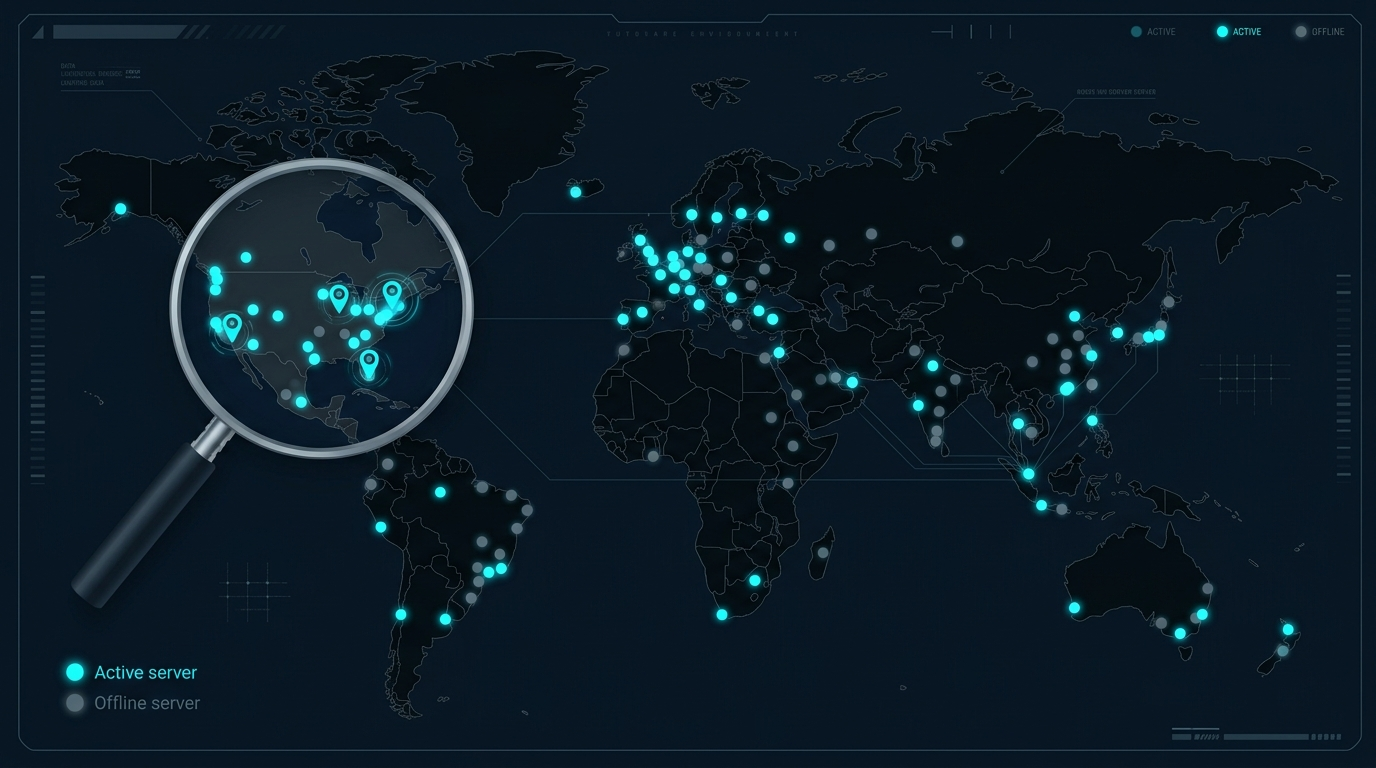
Mobile geo is its own thing. Carrier matters more than city. If you're farming TikTok in Poland you want Play or Orange IPs specifically, not just "Poland". Same logic for the US: a Verizon IP and a Cricket IP behave very differently in front of Meta's anti-fraud stack.
For verifying what geo a target site actually sees, MaxMind GeoIP2 and IPinfo are the two databases most platforms rely on. Worth a manual check before you commit.
Step 6: Stress test the support
I know, support tests sound like a waste of time. They're not.
Before you spend real money, message support with a technical question. Something specific. "Do your residential IPs support UDP via SOCKS5?" or "what's the sticky session max duration on the US pool?". Time the response. Note whether it's a bot, a script kiddie, or someone who actually understands the product.
If you get a five-paragraph generic answer in 20 seconds, that's GPT pasting. If you wait six hours for a one-liner, that's a one-person operation. If a human replies in under 15 minutes with a real answer, green flag, write them down.
When something breaks at 3am during a campaign launch, this is the only thing that matters.
Step 7: Protocol and integration
Quick checklist, don't overthink it:
HTTP/HTTPS and SOCKS5 should both be available. If a provider only supports one, that's weird in 2026. Ask why.
User:pass and IP whitelist auth, both should exist. Whitelist for servers with static IPs, user:pass for everything else.
Sticky sessions, how long? 10 minutes is the floor. 30 minutes to 7 days is the useful range. If the only option is "rotating per request", that breaks half of all real-world workflows.
API access for ad-hoc IP changes, port rotation, traffic stats. If you're running anything automated through Puppeteer, Playwright, Scrapy, or a custom Python stack and there's no API, move on.
Step 8: Payment options
Crypto support without KYC is borderline mandatory for affiliate work. BTC, ETH, USDT (TRC20 preferably, fees are nothing), these should be on the menu. If a provider requires a passport scan to buy 5GB of residentials, that's a B2B service and you're not the target customer. Fine for corporate scraping, awful for everyone else.
Cards work but get declined randomly, especially with grey-niche providers. Have a backup. Wise and Revolut virtual cards work surprisingly well when normal Visa gets blocked.
Step 9: Cross-check with independent sources
Last step before you click buy.
Take the two or three providers still standing on your shortlist. Search them on Reddit (r/proxies, r/webscraping, niche affiliate subs). Look at the last 30 days, not all-time. Proxy pools change fast and a glowing review from 2023 means nothing today. Trustpilot is useful too, but filter for verified reviews because the proxy niche is heavily astroturfed on both sides.
Check aggregator tests. Compare what the provider claims with what independent reviewers measured. The gap between marketing and reality is usually where you'll find your answer.
If two independent sources say "speed is mid, fraud score is good, support is responsive", that's the truth. Pool quality fluctuates monthly so look at recent data.
A quick word on residentials specifically
If your work involves social platforms, e-commerce, ad verification, or any kind of trust-sensitive scraping, residentials are not optional. They're the baseline.
The catch is that the residential market in 2026 is split between providers who source IPs ethically (real opt-in SDKs, Pawns.app-style models, transparent ToS) and providers who... don't ask too many questions. The FTC has been increasingly active around IP-sourcing transparency since the Bright Data and Oxylabs cases drew attention to the issue. The ethically-sourced pools tend to be smaller but cleaner. The questionable ones are huge but get burned faster because someone, somewhere, is using your IP for things you don't want associated with your work.
Proxy.luxe sits in the ethically-sourced individual residential category. The IPs aren't being shared with thousands of strangers running who-knows-what. For account warming and antidetect work specifically, that's the part that matters most.
Wrapping up - the actual checklist
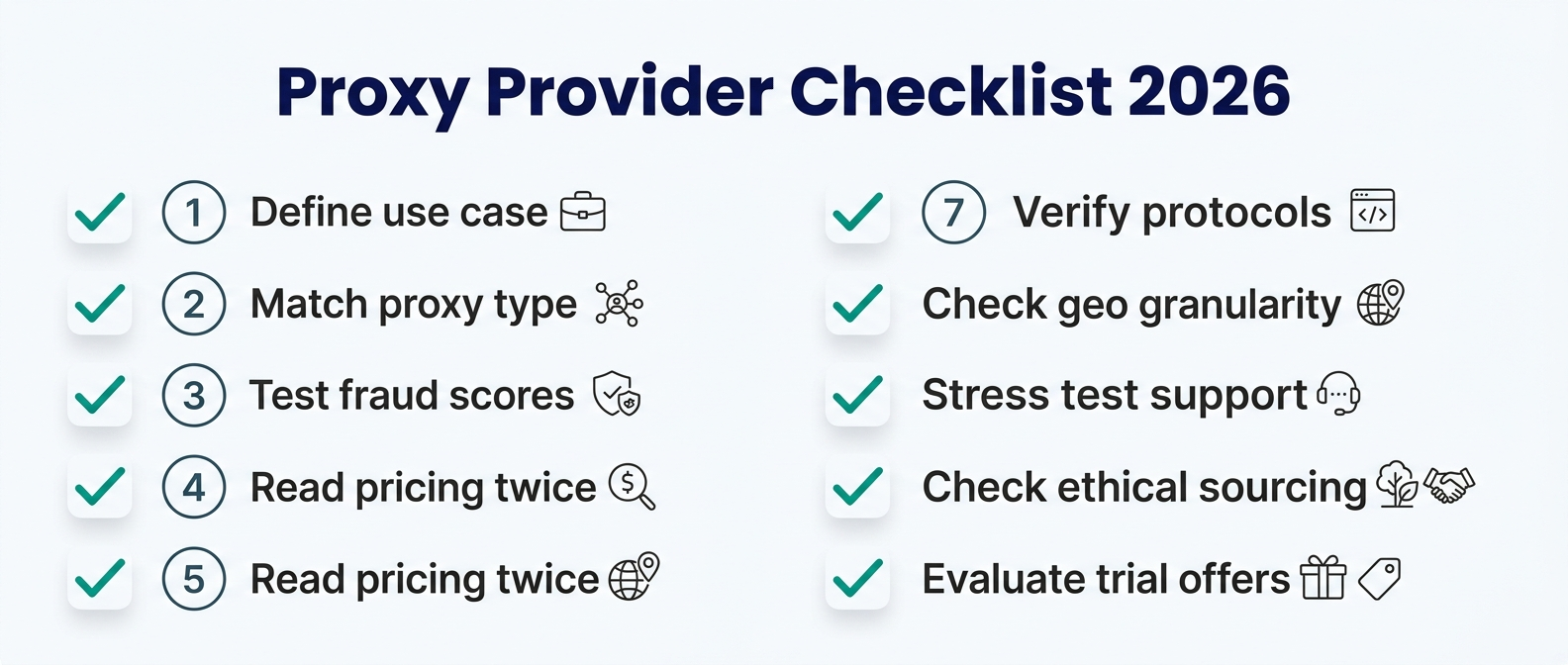
Before you spend a cent, go through these in order:
Write your use case in one sentence.
Pick the proxy type that matches (don't let a vendor pick for you).
Get a trial. Test fraud scores on 5-10 IPs.
Read the pricing model twice. Note the refund window.
Check geo granularity, city or ZIP if you need it.
Ping support with a real technical question.
Verify protocol support and sticky session limits.
Confirm crypto/card payment options.
Cross-check on Reddit, Trustpilot, and aggregators.
Skip any of these and you're gambling. Do all nine and you'll save yourself a month of frustration and a few hundred bucks in burned trials.
The proxy market is messy, the vendors all sound the same, and the only real defense is doing your own homework. Twenty minutes of research now beats a dead campaign later.
Now go test something.
Title: How to Choose a Proxy Provider in 2026 - Checklist for Scrapers & AffiliatesDescription: A practical 9-step checklist for picking a proxy provider in 2026. Fraud scores, billing traps, geo targeting, support tests, and what actually matters.